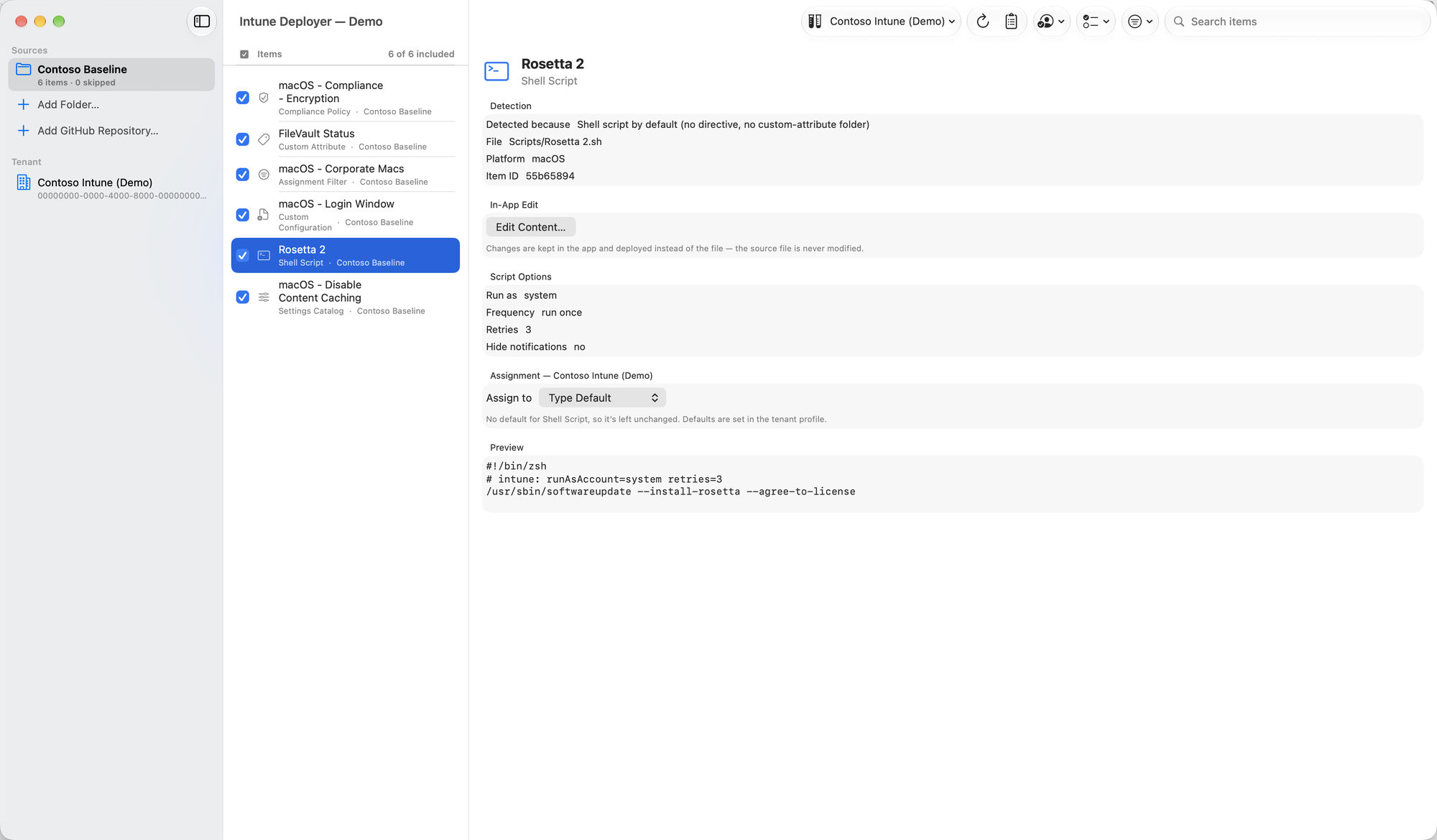
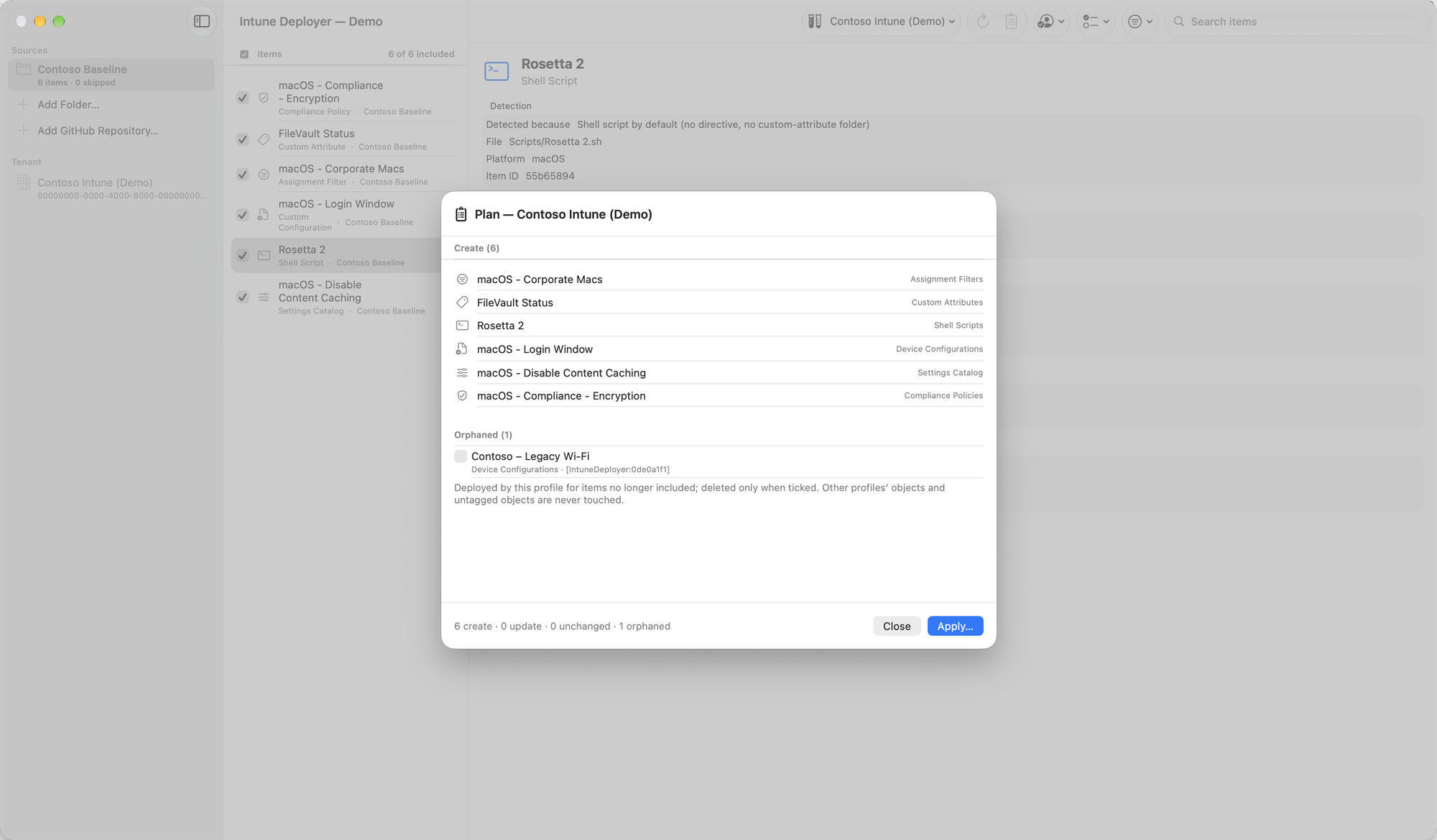
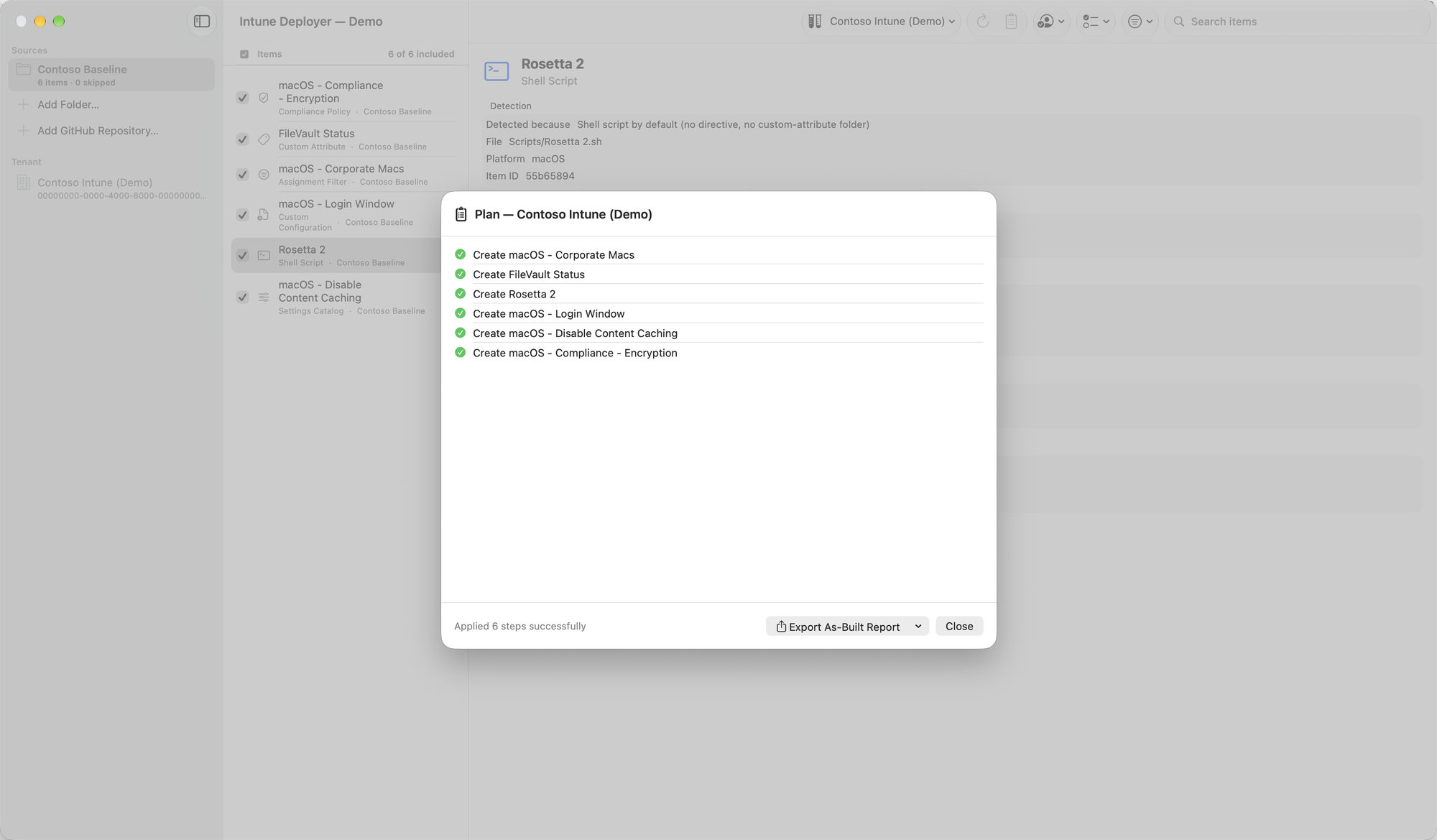
A folder of configuration files in. A configured Intune tenant out.
Setting up a new Intune tenant for Macs and iPads is mostly the same clicks every time: the same Settings Catalog policies, the same compliance policy, the same handful of scripts, re-entered by hand per tenant. Microsoft's own proof-of-concept tooling automates it, but through PowerShell, XML manifests and a SwiftDialog wrapper. Intune Deployer is a native macOS app that does the same job from plain files: point it at one or more folders or GitHub repositories, pick what you want, review a dry-run plan, and apply it to a tenant through Microsoft Graph. No manifests, no PowerShell. A typical baseline lands in a fresh tenant in about five minutes.
There is no manifest to maintain. The app scans each source recursively and decides what every file is from its contents:
| File | Becomes |
|---|---|
.json | Settings Catalog policy, compliance policy, custom configuration or assignment filter, read from @odata.type or from the shape of the JSON |
.mobileconfig | Custom configuration profile, named after its PayloadDisplayName; signed profiles are reported as unsupported |
.sh, .zsh | Shell script, or custom attribute when it sits in a CustomAttributes folder or says so in its header |
.pkg, .dmg | macOS app, with bundle ID and version read from the package |
.ipa | iOS app (preview), with provisioning expiry checked at plan time |
Graph exports and IntuneManagement exports both work; read-only and tool-specific keys are stripped before upload. Anything else — READMEs, images, other tools' XML manifests — is listed under Skipped with a reason, so nothing disappears silently. Every item targets macOS or iOS/iPadOS, shown in the list and filterable.
Script options come from a one-line header rather than a separate file:
#!/bin/zsh
# intune: runAsAccount=user frequency=1440 retries=3 hideNotifications=true{{OrgName}}-style
placeholders in JSON values, profile strings and scripts. Values are set per tenant
and substituted at plan time; Apply stays disabled while any token is unresolved.
Packages are encrypted locally in the format Intune expects, uploaded to Azure Storage in
chunks, committed and published before they are assigned. Bundle ID and version come
from the package itself, and a package is only uploaded again when its version, build or
file name changes, or when the tenant's copy never arrived. An update writes the new
version only after the package is committed, and Apply refuses a package that changed
since the plan. Apps install as Required by default; Available in Company Portal is one
choice away for user assignments. .ipa support is a preview and is labelled as
such.
The reverse works too. Select a tenant, choose Export All or pick objects, and each one is
written in the format the app reads back — Settings Catalog and compliance as JSON,
custom profiles as their original .mobileconfig, scripts with an
intune: header for their run options — grouped by platform and type. The
folder can be added as a source straight away, which makes a well-configured tenant the
starting point for the next one.
Exports are cleaned: read-only Graph fields, the identity and profile tags and the tenant profile's naming prefix are removed, assignments are left out, app packages are skipped, and existing files are never overwritten. Because exported objects carry no identity tag, deploying an export back into the same tenant creates new objects next to the originals: exports are meant for other tenants.
The app ships with no baseline content of its own. Two community projects make good starting points, added as GitHub sources with the subfolder set accordingly:
macOS/ folder (MIT). Its XML manifests aren't needed and are
ignored.MACOS/ folder (GPL-3.0), with the tag prefix set to
macos-v.The license and release tag are shown with every item. Review everything before it goes near a production tenant.
Planning is read-only and is the default: nothing is written without an explicit Apply behind a confirmation summary, and Apply is disabled while the plan contains errors. Every object the app creates carries an identity tag and the deploying tenant profile's tag in its description, so a re-run updates instead of duplicating — and objects without the tag are never modified or deleted. Orphaned objects are only removed when you tick them, only the tenant profile's own objects are listed, and two or more deletions ask you to type their number at the bottom of the plan first. Remove Baseline deletes only the tenant profile's own tagged objects, the built-in template filters it created and the empty groups it created for its assignments, after you type the tenant profile's name; it deletes only what it counted, and other profiles' objects and untagged objects are never touched.
Every request is sent only with a sign-in token of the tenant profile's own tenant, and Apply refuses a plan made for another tenant profile. Plan doesn't run while a chosen item may be in a source that isn't scanned (a failed sync, a drive that isn't mounted), so nothing is offered for deletion by mistake. Removing a source and adding it again, or importing a tenant profile on another Mac and adding the same sources, keeps the items' identities, so Plan updates the deployed objects instead of creating new ones. The as-built report, in Markdown or HTML after every Apply, masks variable values wherever a variable is used, item names included.
When Microsoft asks the app to wait before trying again, the wait is shown with Stop. After Stop, Apply and Remove Baseline send nothing more, and a stopped update, assignment or deletion says it may already have been carried out, so the next Plan shows where the tenant stands.
A read-only preflight checks the tenant before the first plan: MDM authority, the Apple MDM push certificate and ADE token expiry. Graph permissions are requested incrementally — read scopes at sign-in, write scopes at the first Apply — so a profile used only for exports never asks for write access.
Intune Deployer has no account system, no analytics and no advertising. It talks to Microsoft's identity platform and Graph for the tenants you sign in to, Azure Storage for app uploads, and GitHub for the sources you add plus one daily check for a newer release, which can be turned off in Settings › Updates. It is a public client: there is no client secret anywhere, tokens are handled by Microsoft's authentication library and kept in the Keychain, and a GitHub token for private repositories is stored there too. The activity log records every Graph request — never tokens or payloads. The developer operates no servers and receives no data.
Every Graph scope, and when it is requested, is listed in the README on GitHub.
Download the latest signed and notarized build from the releases page, or build it yourself from source in Xcode. A guided tour runs on first launch and can be replayed from the Help menu. The app checks for new releases daily, or on demand from the app menu; because it is sandboxed, it downloads the update for you to move into Applications. Bug reports and feature requests are welcome as GitHub issues.
To look around without a tenant, choose Try Demo Mode in the sidebar, or turn on Demo Mode from the tenant picker in the toolbar or the Connection menu. The app then works with "Contoso Intune (Demo)", a sample tenant inside the app: no sign-in is needed and nothing is sent to a real tenant. Plan, Apply, Remove Baseline, tenant export and Preflight run for real against it, with their usual confirmations.